WhatsApp Strict Account Settings
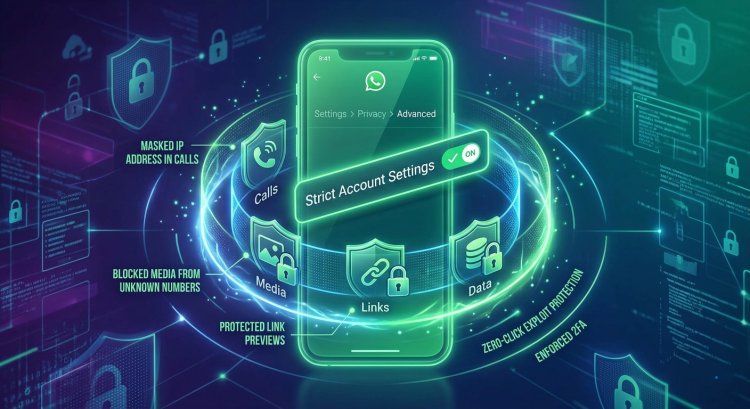
WhatsApp’s new Strict Account Settings mode is a “lockdown” privacy feature designed for users facing high-risk cyber threats . When enabled (via Settings > Privacy > Advanced ), it forces WhatsApp to use its strictest defaults: for example, it blocks all media/attachments from contacts not in your address book and silences calls from unknown numbers.

What Strict Account Settings Does
Strict Account Settings is an optional “lockdown” mode that bolsters WhatsApp’s security on your device. Once turned on, several core settings become “locked” to the highest protection. Key effects include:
- Block unknown media: Automatically blocks attachments, photos, videos, and other files from anyone not in your contacts. This prevents malicious files from reaching you.
- Silence unknown calls: Incoming voice/video calls from numbers not in your contacts will be silenced or automatically rejected.
- Hide profile info: Your Last Seen, profile photo, About, and profile links become visible only to people in your contacts (or a custom list you approved).
- Restrict group invites: Only people in your contacts (or an approved list) can invite you to groups.
- Other lockdown measures: Two-step verification is forced on, security notifications stay on and locked, link previews for unknown senders are disabled, and high-volume unknown messages are blocked. Essentially, Strict mode forces all privacy settings to their most secure options.
These changes make WhatsApp operate in a very restrictive way, similar to Apple’s Lockdown Mode on iOS. The mode is aimed at users who may be targeted by advanced threats, such as journalists or public figures, and is currently rolling out globally.
How to Enable Strict Account Settings
You can activate Strict mode on Android or iOS by following these steps:
- Open WhatsApp on your phone.
- Tap Settings (on Android: three dots > Settings; on iPhone: gear icon).
- Go to Privacy.
- Scroll down and tap Advanced.
- Tap Strict Account Settings, then toggle it ON.
Advantages and Use-Case Scenarios
- Blocks malware and spyware: Since Strict mode blocks any file from unknown senders, it prevents hidden threats. Example: A journalist receives a suspicious video; in Strict mode, the file is blocked, protecting the device from potential exploits.
- Reduces spam and scams: Unknown callers and unknown messages are silenced or limited. Example: A celebrity often targeted by spam calls will simply not ring for unknown numbers when Strict mode is on.
- Stronger privacy by default: Profile info (last seen, photo, status) is locked to contacts. Unknown users cannot see your presence or details. Example: An influencer can browse freely without strangers viewing their profile or adding them to random groups.
- Peace of mind for high-risk users: If you deal with sensitive topics (e.g. human rights, politics), Strict mode adds a layer of defense. Example: An activist in a dangerous region can enable it before traveling, ensuring only trusted contacts can reach them.
Sample Script Lines
- “With Strict mode on, your WhatsApp goes into lockdown – only people you trust can reach you!”
- “See that incoming image? With Strict enabled, this malicious file would simply be blocked.”
- “Notice how I can’t receive calls from unknown numbers now – that’s peace of mind.”
- “Strict mode turns on extra security features like 2FA and blocks any link previews from strangers.”
Recommended Sources
- WhatsApp Official Blog: “Latest Privacy Protection: Strict Account Settings”.
- Meta Newsroom: “WhatsApp Strict Account Settings: Safeguarding Against Cyber Attacks”.
- WhatsApp Help Center: Strict Account Settings FAQ (WhatsApp app > Settings > Privacy > Advanced).
- Tech/Security Outlets: CyberScoop, Malwarebytes, MacRumors, PrivacyGuides, etc., for additional analysis and context.
Files
What's Your Reaction?