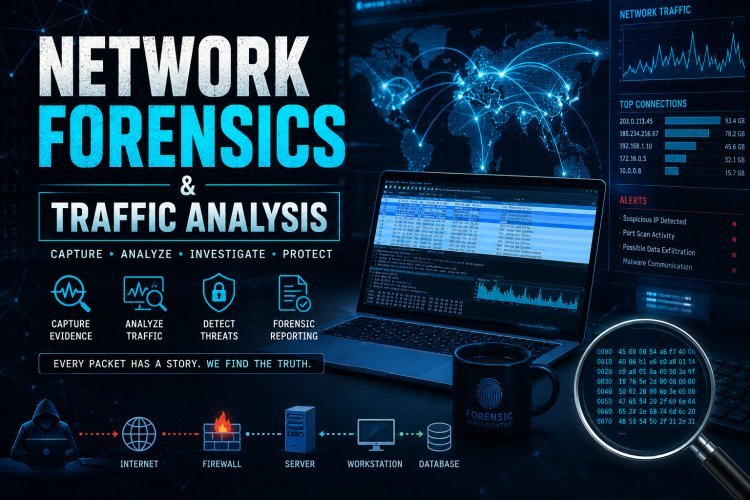
Network Forensics & Traffic Analysis
Network forensics is based on analyzing network communication at different layers of the TCP/IP model
TCP/IP Layers in Forensics
| Layer | What You Analyze | Example Evidence |
|---|---|---|
| Application | HTTP, DNS, FTP | URLs, emails, chats |
| Transport | TCP/UDP | Ports, sessions |
| Internet | IP | Source/Destination IP |
| Network Access | MAC | Device identity |
Example:
If a hacker visits a phishing site →
- Application layer → URL accessed
- Transport → Port 80/443
- Internet → Attacker IP
- MAC → Local device
Packet Structure (VERY IMPORTANT)
Every network packet contains:
- Header → Metadata (IP, port, protocol)
- Payload → Actual data (message, file, credentials)

Example (HTTP Packet):
GET /login HTTP/1.1
Host: example.com
User-Agent: Chrome
Forensics Goal:
Extract credentials, files, malware, commands
Types of Network Forensics
1. Live Forensics
- Real-time monitoring
- Used during ongoing attacks
2. Post-Mortem Forensics
- Analyze stored PCAP/logs after attack
3. Hybrid Forensics
- Combination of both
Deep Dive into Tools
Wireshark (Most Important Tool)
Important Filters (VERY USEFUL)
ip.addr == 192.168.1.1        → Filter IP
tcp.port == 80               → HTTP traffic
dns                         → DNS queries
http.request                → HTTP requests
tcp.flags.syn == 1          → SYN packets (scan detection)
Key Features:
- Follow TCP stream
- Export objects (images/files)
- Analyze protocols
tcpdump (Command Line)
tcpdump -i eth0
tcpdump -r file.pcap
tcpdump port 80
Zeek (Bro)
- Advanced logging
- Detect suspicious behavior
- Used in enterprises
Snort (IDS)
- Rule-based detection
- Detect known attack signatures

Detailed Investigation Workflow
Step 1: Acquisition
- Capture traffic using:
- Wireshark
- tcpdump
- Collect logs (firewall, proxy, IDS)
Step 2: Filtering
- Remove normal traffic
- Focus on:
- Unknown IPs
- Suspicious ports
- Large data transfers
Step 3: Deep Analysis
- Reconstruct sessions
- Identify:
- Malware communication
- Suspicious DNS queries
- Data exfiltration
Step 4: Correlation
- Match logs + packets
- Timeline creation
Step 5: Reporting
- Evidence documentation
- Legal admissibility
![Digital Forensics Analysis on Different Sources From [12] | Download Scientific Diagram](https://images.openai.com/static-rsc-4/_PPLVp8Q-29X48TcW3Pef7jqyPEXNVzwtxB3AMxb2y6ZSqilyRqH8x8bJTAV1ajRQjpL_BrtTrLhz74rE0rYWoz-z52-QQeXTfEQ8nrfkIUF0gSUhCDrHYWyLYnyx1azqvu88HRnqLYdDQyiTzW2-PfNQD-KFNgWusp1DYGYgSUc9_x_gyceyJBiUcMHlX5V?purpose=fullsize)
Advanced Attack Analysis
1. Phishing Detection
- Check DNS queries
- Suspicious domains
2. Malware Traffic
- Detect Command & Control (C2)
- Unusual outbound traffic
3. DDoS Attack
- High number of SYN packets
- Traffic flooding
4. Data Exfiltration
- Large outbound data
- Hidden channels (DNS tunneling)
5. Port Scanning
- Multiple SYN packets
- Different ports scanned
7. Important Techniques
TCP Stream Analysis
- Reconstruct full communication
DNS Analysis
- Detect malicious domains
File Extraction
- Extract images, malware
Timeline Analysis
- Sequence of attack events
Challenges
- Encrypted traffic (HTTPS, VPN)
- Huge data volume
- Anti-forensics techniques
- Cloud & distributed networks
Legal Importance
- Maintain Chain of Custody
- Evidence must be:
- Authentic
- Reliable
- Untampered
Follow cyberdeepakyadav.com on
Facebook, Twitter, LinkedIn, Instagram, and YouTube
What's Your Reaction?